The same unblocked AI chat as nottrack.com, on your home screen. No store account, no country check, no phone number. Download, open, ask.
On iPhone? Get the app in the App Store
Prefer to install from a store? The same chat is there as NoTrack AI — a separate app with its own chats.


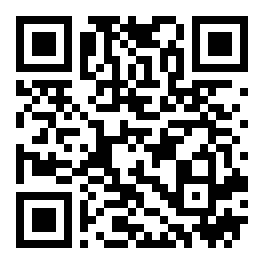
Send it to your phone
Already have an account on the site? Sign in with the same nickname or with Google — your plan comes with you.
Chat with no sign-up, no card and no daily message limit. You also get 1 photo a day, 5 spoken replies a day and 9 avatars. The free chat shows promotions.
Plus is $14 a month and removes promotions, with 200 photos and 100 spoken replies a day. Pro is $49 a month and goes up to 1,000 photos and 500 spoken replies a day.
The free chat gives 5 spoken replies a day. Text chat has no daily message limit, so you can keep typing as long as you like.
Yes. When a new version is out, the app shows an update notice and installs it in a couple of taps. You do not need to come back to this page.
The app talks to nottrack.com, so if a network blocks the site, it blocks the app too. We do not run a proxy.
e0b0b093e9e9269651792d418c4328673c42283bdda92f10dc72d58bc34dcc0b
